Purchase as a partner
VKB-1026How-to
- 📦 Applies to
- Xen Orchestra
- 🗓️ Created
- 2021-02-20
- 🔄 Updated
- 2021-02-20
- 🏷️ Tags
Environment
- A Vates partner account with access to the partner interface.
Procedure
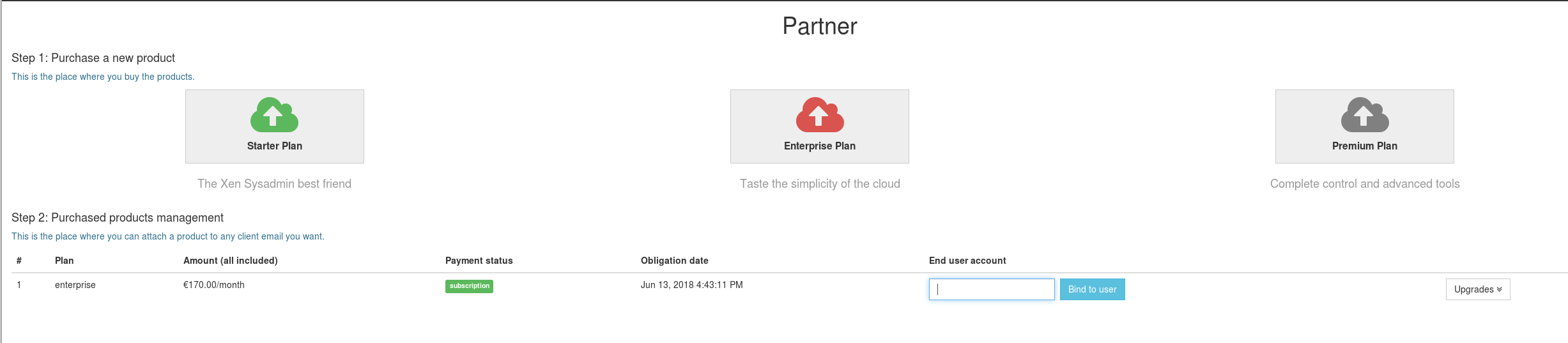
Follow these steps to purchase an XOA edition for your customer:
- Choose the edition you want to purchase for your customer.
- Buy it on your reseller page. The discount is automatically applied; once it is done, a new line appears on your reseller page.
- Assign/bind the plan to your final client email.
You will have all the invoices in your account.
From your client's perspective
Your client can use the email assigned to register their appliance and unlock the edition you purchased. They will not get any invoices from us but can still access our support system.
Verification
Once the purchase is done, a new line appears on your reseller page, and the invoices are available in your account.
Was this page helpful?