Register your XOA
- 📦 Applies to
- Xen Orchestra
- 🗓️ Created
- 2024-03-14
- 🔄 Updated
- 2024-03-14
- 🏷️ Tags
Environment
- A Free Xen Orchestra Appliance (XOA) already deployed.
- Your https://xen-orchestra.com credentials (the email and password you used to download the appliance).
Procedure
Register from the web interface
Updates and trials will be available as soon as you register your appliance. In your current Free XOA, you can register your appliance in the Updates view in the main menu:
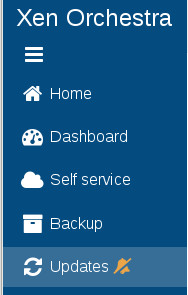
To register, use your https://xen-orchestra.com credentials you gave to download it previously (your email and your password):

Then you can click on Start Trial, the green button:
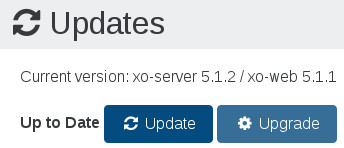
Remember to click on the Upgrade button after requesting a trial: this will download the Premium Edition for 15 days!
Register from the CLI
If your interface is not accessible, or you just prefer to use CLI commands, it's still possible to perform the same steps. You need to access your XOA via SSH (remember the default credentials: xoa/xoa. Change them ASAP) and follow the process below:
# xoa-updater --register
Successfully connected to xoa-updater-service

Please enter your xen-orchestra.com identifiers to register your XOA:
? Email: myemail@example.net
? Password: *****

Your Xen Orchestra Appliance has been succesfully registered
Verification
The updater confirms the registration ("Your Xen Orchestra Appliance has been successfully registered"), and updates and trials become available in the Updates view.