Rebind a Xen Orchestra license
VKB-1012How-to
- 📦 Applies to
- Xen Orchestra
- 🗓️ Created
- 2022-07-07
- 🔄 Updated
- 2022-07-07
- 🏷️ Tags
Environment
- A Xen Orchestra Appliance (XOA) with a valid license.
- A license can only be bound to a single appliance at a time: rebinding your license will unbind it from any other appliance.
Procedure
-
Connect to the appliance on which you want to bind the license.
-
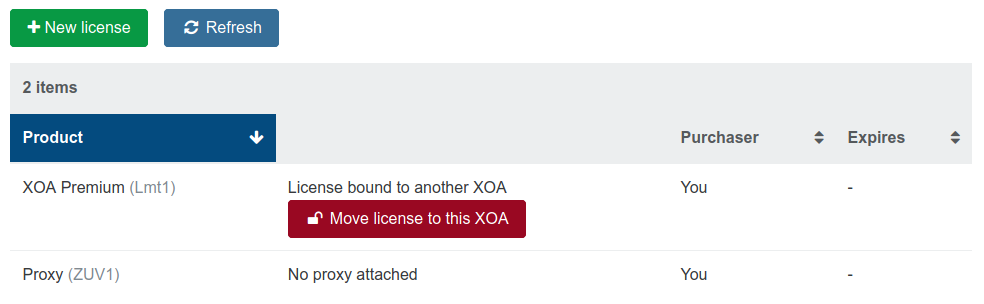
In the license section, click the rebind option (Move license to this XOA button):
-
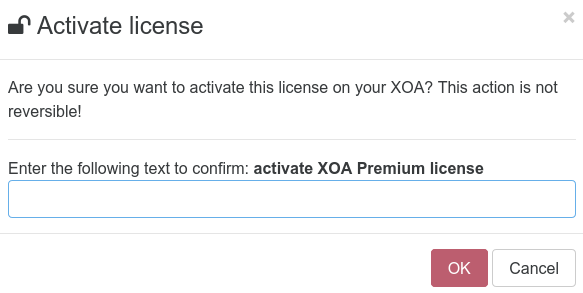
A confirmation screen is displayed:
-
Once the rebind is done, proceed to an upgrade on your freshly bound appliance to download the correct edition packages.
Verification
After the upgrade, the freshly bound appliance runs with the correct edition packages for your license, and the license section shows the license attached to this XOA.
Was this page helpful?